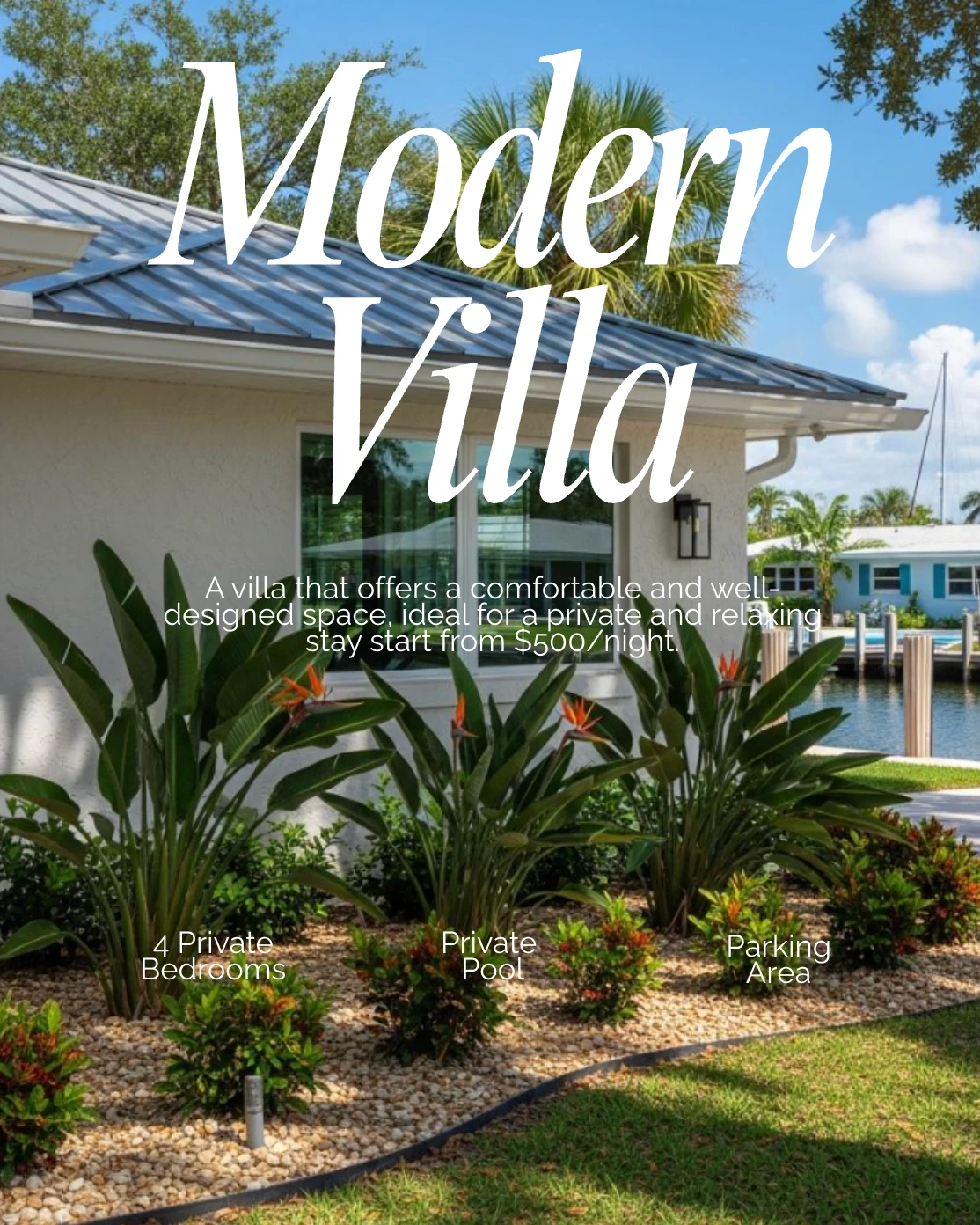
Posts that look designed, without a designer.
You do not need design skills and you do not need another creative tool to learn. Your brand is already loaded in, so every post comes out looking like it belongs to you.
Talk to a social media specialist


 2k+
2k+Putting their social media on autopilot
Higher output and stronger consistency
Compared to posting manually
The Design Studio applies your brand for you. Load your headshot, logo, colors, and contact details once, and every post inherits them. Start from a real estate template, change the text, swap the photo, drop a background out, resize for any platform, then save the look as your own template.
How does it stay on brand without you?
You load your brand once, and after that every template opens already carrying your headshot, logo, colors and contact details. Change the words, swap the photo, pick the size the platform wants, then send it to your calendar. Save the result and the next post starts from there.
- 01
Set up your brand once
Add your headshot, logo, brand colors, and contact information. This is a one-time step and everything after it inherits from here.
- 02
Start from a template
Choose a real estate layout that fits the post you are making, or open something you generated with Content Creation. Your branding is already applied.
- 03
Adjust and post
Change the text, swap the photo, pick the size you need for the platform, then send it straight to your calendar.
What can you actually do with it?
The Design Studio handles the four edits agents actually make, in the place the post already lives. Your brand lands automatically, the templates are built for real estate rather than general use, small photo and text fixes happen without exporting anything, and the looks you like become your own templates.
Your brand applied automatically
Load your headshot, logo, colors, and contact details once. From then on they land on every post in the right place, so your feed looks consistent without you thinking about it.
Templates built for this business
These are real estate layouts, not general-purpose graphics. Just listed, open house, market update, testimonial, tip. Pick one and it is already the right shape for the job.
Small fixes without a design tool
Drop a background out of a photo, change a headline, swap a color, resize a post for a story or a reel. The everyday adjustments are right here, so you are not exporting files between apps.
Save what works
When you land on a look you like, save it as your own template. The next post starts from there instead of from scratch, and your feed builds a recognizable style.
What agents say when the posts start looking professional.
The tell is not that agents like the graphics, though they do. It is that their clients mention them unprompted. A post that looks considered gets a different response from one that looks thrown together, and that is the whole argument for keeping the design consistent.
I get lots of responses from my clients about the content I am putting out. It is all so well done. Helps me get noticed. I recommend them very highly.
 Oliver Ruiz Broker Associate, The Keyes Company
I am not great at technology, and agents ask me how I am making the videos.
Brenda SavageREAL ESTATE AGENT
We do a whole month of content in one day.
Crystal TostManaging Partner
We 5x'd our output with the content calendar.
Matthew FierlingOwner, Flux Realty
A real online presence, without the time sink.
Amy YoungrenFounder, North Group
Their AI gets real estate better than marketers I have hired.
 Austin Hellickson
Owner, Homexa
It saves me at least six hours every week.
 Emma Nicholson
Client Experience
I am not great at technology, and agents ask me how I am making the videos.
Brenda SavageREAL ESTATE AGENT
We do a whole month of content in one day.
Crystal TostManaging Partner
We 5x'd our output with the content calendar.
Matthew FierlingOwner, Flux Realty
A real online presence, without the time sink.
Amy YoungrenFounder, North Group
Their AI gets real estate better than marketers I have hired.
Austin HellicksonOwner, Homexa
It saves me at least six hours every week.
Emma NicholsonClient Experience
Good design is not the hard part. Doing it every week is.
Leave your email and we'll send you the quick 10 minute video guide on how real estate agents are crushing it with on-brand graphics. Setting your brand kit up properly the first time, the four edits worth knowing, and how saved templates turn a ten-minute job into a one-minute one.
Free. No spam, and you can unsubscribe from the first email.
Frequently asked questions
Do I need to know how to design?
No. The templates are already laid out and your brand is applied for you. If you can change a line of text and pick a photo, you can make a post that looks professional. Nobody has to know how much of it you did not do.
Can I make it look like my brokerage requires?
Yes. Your logo, colors, headshot and contact details are all yours to set. Save the result as a template and every future post matches, which is usually what a brokerage compliance guideline is actually asking for.
Can I use my own photos?
Yes. Swap in your own images, including professionally shot listing photos, and the layout adjusts around them rather than cropping badly. Your photography is usually the strongest thing on the post, so it should not be fighting the template. Listing posts pull your photos in automatically.
What sizes can I post in?
Square for a feed, portrait for a story, and the other formats each platform expects. Pick the shape and the layout reflows rather than cropping badly, so one post can go to several places without looking wrong on any of them.
Do I have to rebuild my look every time?
No. Save any post you like as your own template and start from it next time. That is what makes a feed look like one person's rather than a pile of unrelated graphics, and it is the difference recognizability actually comes from.
Do I still need Canva?
Not for the posts you make here. Everything from the template to the branding to the resizing happens in one place, so there is nothing to export and re-import. And if you are still completely set on Canva, there is a built-in integration waiting for you.